Houston-Based. Nationwide Service.

AI vs. Human Logo Design

Why Your ChatGPT Logo Has Incorrect Text

By the Logo In Hours design teamPublished November 23, 2026

Image generators draw letters as visual shapes rather than typing characters, so they can swap, repeat or distort letters, especially in longer names. Re-prompting sometimes helps, but reliable lettering usually requires a designer to rebuild the text.

Who this guide helps: Anyone who generated a logo with ChatGPT or another image tool and found spelling or lettering problems. ChatGPT is a third-party product of OpenAI; Logo In Hours is not affiliated with OpenAI.

Why it happens

Generative image models learn what text looks like in images, not the rules of spelling. They predict a plausible arrangement of shapes, so “PLUMBING” may come out as “PLUMBNIG” or with one letter in a different style.

Common patterns

  • Swapped or doubled letters
  • Letters that change weight or style mid-word
  • Drifting baselines and uneven spacing
  • Unreadable small taglines

Tips when generating

  • Keep the text short
  • Ask for the name in a simple, bold style
  • Generate several versions and choose the best lettering
  • Plan to have the text rebuilt anyway

How a designer fixes it

The designer confirms the exact spelling, chooses or draws letterforms that match the concept, sets even spacing and rebuilds the text as vector artwork.
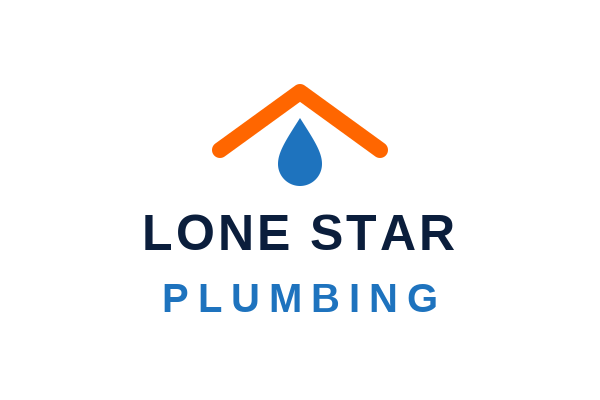
After: Lone Star Plumbing logo rebuilt as clean vector artwork (Incorrect AI Lettering)
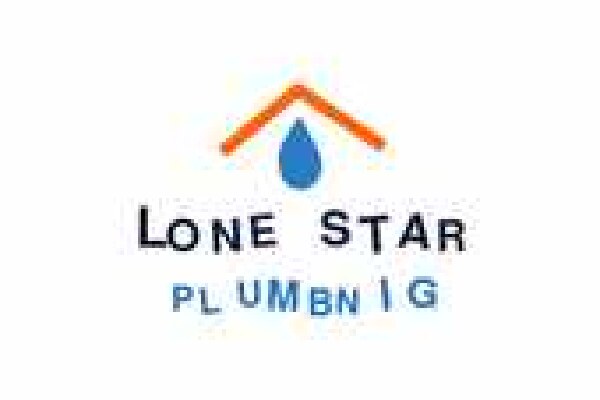
Before: Lone Star Plumbing logo as a flawed low-quality image (Incorrect AI Lettering)
Illustrative Design Demonstration · fictional business

Incorrect AI Lettering — Lone Star Plumbing

Problem
The generated logo contained uneven letters, drifting baselines and an incorrect character sequence in the company name (“PLUMBNIG”).
Correction
The designer rebuilt the wordmark with consistent letterforms, corrected the spelling, set even spacing and aligned both lines to a shared center axis.
Result
A readable, editable logo suitable for trucks, uniforms, invoices and the website.
Intended use
Vehicle doors, uniforms, website header
Typical files
AI, EPS, SVG, PDF, PNG, JPG

Common mistakes

  • Printing the logo before checking every letter at full size.
  • Trying to fix letters by painting over them in a photo editor.
  • Regenerating endlessly and accepting a different concept by accident.

Matching the lettering style

Designers either find a licensed typeface close to the AI lettering or draw custom letterforms inspired by it. Custom lettering keeps the look you liked while correcting spelling and spacing.

After the fix

Ask for a vector master and a one-color version, and keep your original AI image for reference. See how to convert an AI logo to vector.

Logo In Hours publishes practical educational resources about logo design, artwork preparation, and branding. Content is prepared and reviewed by the Logo In Hours design team. Editorial standards.

FAQ

Frequently Asked Questions

Will newer models fix the spelling problem?

They are improving, but short, exact business names still benefit from a human check.

Is it expensive to fix the text?

At Logo In Hours, regular AI logo correction is $125–$150.

Keep learning

Related Guides

ChatGPT logo redesign

Read the guide →

AI vs. human logo design

Read the guide →

Convert an AI logo to vector

Read the guide →

Browse the full Logo Design Learning Center →

Fix My ChatGPT Logo

Upload the image and type the correct spelling; we will rebuild the lettering.

Logo In Hours LLC

Request a Free Logo Consultation

Takes about a minute. A designer will contact you to talk through your logo idea — no upfront payment.
Service Needed / Servicio Necesario *
Prefer to talk now? Call 713-367-0919

Free Consultation • No Upfront Charge

Custom logo design, delivered the same day

  • Same-day custom logo concepts
  • Multiple concepts & unlimited revisions
  • High-resolution & vector files (AI, SVG, PNG, PDF)
  • You keep full ownership of your logo
Prefer to talk? (713) 367-0919