Houston-Based. Nationwide Service.

AI vs. Human Logo Design

How to Convert an AI-Generated Logo Into a Vector File

By the Logo In Hours design teamPublished November 23, 2026

You can convert an AI-generated logo to vector by automatic tracing or by manual reconstruction. Tracing is quick but keeps the AI’s flaws; manual reconstruction redraws the logo cleanly, corrects lettering and produces editable files.

Who this guide helps: Owners who like their AI logo concept but need files for printing, signs or a website.

Step 1: Save the best source image

Download the highest resolution your tool offers. Upscaled copies can help a designer see detail but are not vector files.

Step 2: Decide what must change

List spelling corrections, colors and parts you want simplified. Fixing these during reconstruction is easier than after.

Step 3: Choose tracing or reconstruction

Try auto-tracing only for very simple, high-contrast shapes. For text, symmetry and production use, choose manual reconstruction.

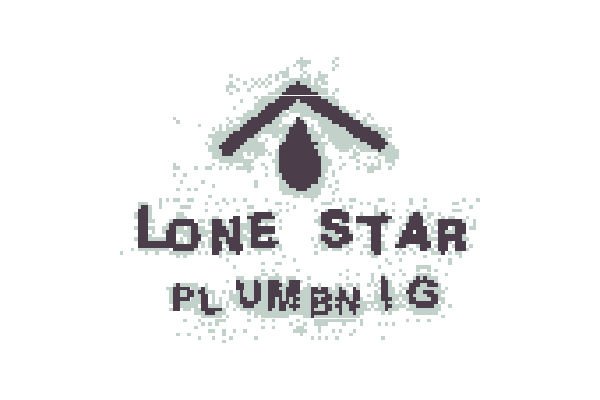
Step 1: low-resolution AI-generated PNG of the Lone Star Plumbing demonstration logo
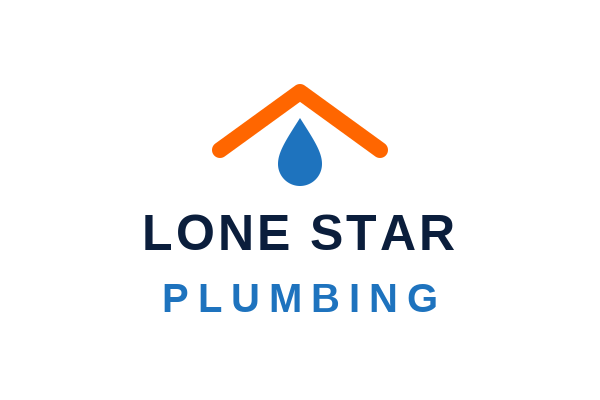
1. Original AI imageRaster pixels. Misspelled word, drifting letters, soft edges.
Step 2: the same logo after automatic tracing, showing stair-stepped vector shapes
2. Automatic traceTechnically a vector file, but it contains 4,048 anchor points (27 KB). Every jagged pixel edge and every spelling mistake is preserved.
Step 3: professionally reconstructed vector version with corrected spelling and even lettering
3. Manual reconstructionBuilt from a handful of clean shapes and real type (0.8 KB). Spelling fixed, spacing even, every element editable.

The automatic trace above was produced by a simple tracing algorithm run on the low-resolution image, so the comparison is genuine. Commercial tracing tools produce smoother curves than this, but they share the same limitation: they copy what is in the pixels, including mistakes. Illustrative demonstration using a fictional business.

Step 4: Check the result

  1. Zoom to 800%: edges should be smooth.
  2. Outline view: paths should be clean and minimal.
  3. Letters should be correct and consistent.
  4. Test one-color and small sizes.

Step 5: Keep a proper file set

Save AI, EPS, SVG, PDF and PNG versions. See what a logo package should include.

Common mistakes

  • Tracing a small, compressed AI image.
  • Keeping AI spelling errors in the vector file.
  • Accepting an SVG that contains an embedded PNG.
  • Skipping a one-color test.

What it costs

At Logo In Hours, regular AI logo vectorization is $125–$150 and mascot logos are $150–$200, confirmed after review. Doing it yourself with free tracing tools costs time and usually needs cleanup for production use.

Before you invest

Check the AI tool’s terms and search for similar marks. See copyright and AI logos.

Logo In Hours publishes practical educational resources about logo design, artwork preparation, and branding. Content is prepared and reviewed by the Logo In Hours design team. Editorial standards.

FAQ

Frequently Asked Questions

Can ChatGPT export a vector file?

Image outputs from chat-based generators are typically raster images. Vector reconstruction is a separate step.

Will the vector look exactly like my AI image?

It follows your concept, with corrections to inconsistent shapes and lettering, which you review before approval.

Keep learning

Related Guides

AI logo to vector service

Read the guide →

Automatic tracing vs. manual reconstruction

Read the guide →

AI vs. human logo design

Read the guide →

Browse the full Logo Design Learning Center →

Convert My AI Logo to Vector

Regular logos $125–$150; mascots $150–$200, confirmed after review.

Logo In Hours LLC

Request a Free Logo Consultation

Takes about a minute. A designer will contact you to talk through your logo idea — no upfront payment.
Service Needed / Servicio Necesario *
Prefer to talk now? Call 713-367-0919

Free Consultation • No Upfront Charge

Custom logo design, delivered the same day

  • Same-day custom logo concepts
  • Multiple concepts & unlimited revisions
  • High-resolution & vector files (AI, SVG, PNG, PDF)
  • You keep full ownership of your logo
Prefer to talk? (713) 367-0919